
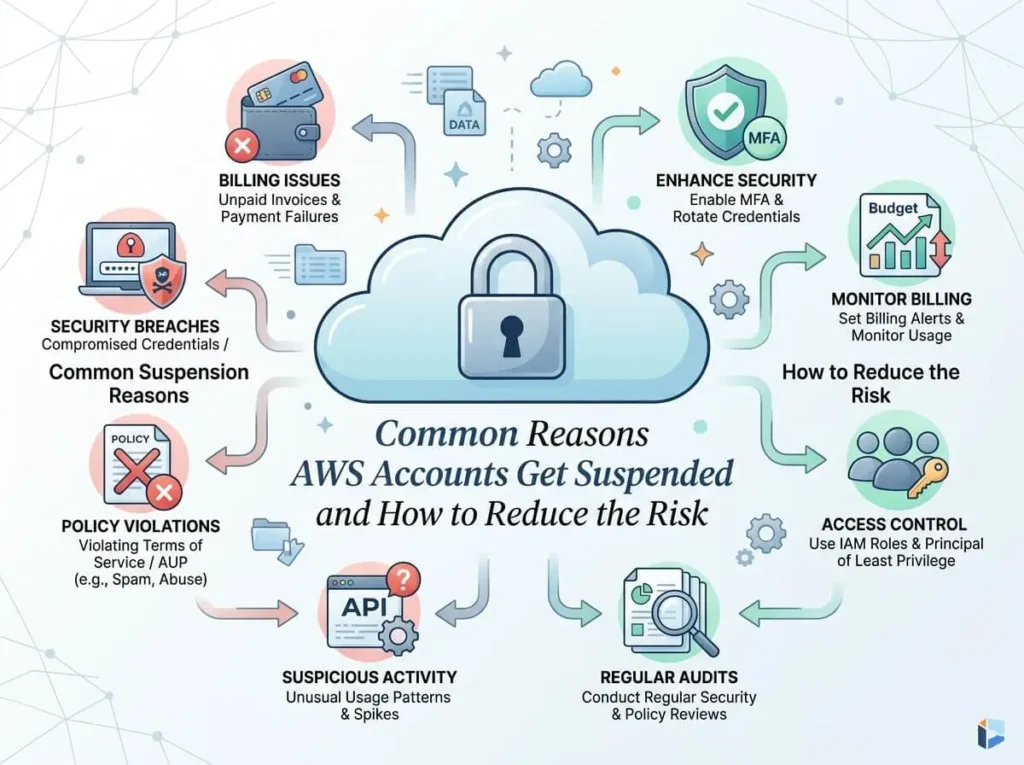
AWS suspends accounts for reasons including billing failures, acceptable use policy violations, security breaches, and unusual activity. Most suspensions are preventable with the right monitoring, billing safeguards, and security hygiene. Acting quickly after a suspension notice is critical to restoring access.
AWS powers a significant portion of the modern internet — from scrappy startups to Fortune 500 companies. Losing access to your AWS account, even temporarily, can bring operations to a standstill. Yet suspensions happen more often than most teams expect, and frequently for reasons that are entirely avoidable.
Understanding why AWS suspends accounts — and what you can do to reduce that risk — is one of the most practical steps any cloud team can take to protect their infrastructure.
What Are the Most Common Reasons AWS Accounts Get Suspended?
1. Billing Failures and Outstanding Payments
The most straightforward reason for an AWS suspension is a failed payment. If the credit card on file expires, gets declined, or a bank flags a charge as unusual, AWS will attempt to collect payment and may suspend the account if the issue goes unresolved.
This is especially common when teams rotate payment methods, onboard new finance contacts, or let billing details fall out of date after a company rebrand or restructure.
How to reduce the risk: Keep payment methods current and set up billing alerts through AWS Budgets. Designating a dedicated billing contact — separate from the primary account owner — adds another layer of protection.
2. Violating the AWS Acceptable Use Policy (AUP)
AWS prohibits a specific set of activities under its Acceptable Use Policy, including sending unsolicited email (spam), hosting malicious content, running port scanning tools, and facilitating distributed denial-of-service (DDoS) attacks.
Violations don’t always stem from intentional misuse. A compromised EC2 instance that starts sending spam, for example, can trigger an AUP violation without the account owner’s knowledge.
How to reduce the risk: Regularly audit what’s running across your AWS environment. Enable Amazon GuardDuty to detect unusual behavior, and act immediately on any AWS abuse notifications that land in your inbox.
3. Compromised Credentials and Unauthorized Access
If AWS detects that your account credentials have been exposed — say, through an accidentally committed access key in a public GitHub repository — it may suspend or restrict the account to prevent further damage.
This is one of the more alarming suspension scenarios because it often involves real financial exposure. Attackers who gain access to AWS credentials frequently spin up high-cost resources like GPU instances for cryptocurrency mining, leaving the account holder with a massive unexpected bill.
How to reduce the risk: Never hard-code AWS credentials in source code. Use IAM roles instead of long-lived access keys wherever possible. Enable AWS CloudTrail to log all API calls, and activate multi-factor authentication (MFA) on the root account and all IAM users with elevated permissions.
4. Unusual or Suspicious Activity
AWS monitors accounts for activity patterns that fall outside the norm. Sudden spikes in resource usage, API calls from unfamiliar geographic regions, or the rapid creation of IAM users can all trigger an automated review or suspension.
These flags are designed to protect customers, but they can occasionally catch legitimate activity — such as a major product launch or a new team onboarding in a different country — if there’s no prior history of similar behavior.
How to reduce the risk: Use AWS CloudWatch to set up anomaly detection alarms. If you anticipate a significant change in usage patterns, consider reaching out to AWS Support proactively to flag the expected activity.
5. Exceeding Service Limits Without Warning
Every AWS account has default service quotas — limits on how many resources of a given type you can provision. Hitting these limits doesn’t typically cause a suspension, but attempting to circumvent them or making a high volume of failed API requests as a result can raise flags.
How to reduce the risk: Review your service quotas regularly through the AWS Service Quotas console and request increases ahead of time, not in the middle of a deployment.
6. Fraudulent Account Activity
AWS has systems in place to detect accounts that appear to be created for fraudulent purposes — for example, repeatedly creating new accounts to exploit free-tier limits, or using stolen payment information.
For legitimate businesses, this risk is low. But it’s worth knowing that AWS may suspend accounts flagged by these systems while it investigates.
What Happens When Your AWS Account Gets Suspended?
When AWS suspends an account, access to services is restricted — but data is not immediately deleted. AWS typically retains data for a period after suspension, giving account holders time to resolve the underlying issue.
The suspension notice usually arrives via email to the registered account address, which is another reason to keep contact details accurate and actively monitored.
After receiving a suspension notice, the general process is:
- Identify the reason — Check the email from AWS and log in to the AWS Management Console for more detail.
- Resolve the root cause — Whether it’s an unpaid bill, a policy violation, or a security incident, address the issue directly.
- Contact AWS Support — Submit a support case explaining the steps taken and requesting account reinstatement.
- Prevent recurrence — Put safeguards in place before the account is fully restored.
Response time matters. The longer an account remains suspended, the greater the operational disruption — and in serious cases involving security incidents, the higher the risk of ongoing damage.
How to Build a Proactive AWS Account Protection Strategy
Reactive responses to suspension are costly. A proactive approach is far more effective.
Set up billing alerts. AWS Budgets allows you to configure alerts when spending exceeds a defined threshold. This is one of the simplest and most effective safeguards available.
Enable AWS GuardDuty. GuardDuty uses machine learning to detect threats like compromised credentials, unusual API activity, and communication with known malicious IP addresses. It runs continuously and requires no manual configuration after setup.
Audit IAM permissions regularly. Over-permissioned users and stale access keys are among the most common security vulnerabilities in AWS environments. Use AWS IAM Access Analyzer to identify resources shared externally and to review unused permissions.
Monitor your root account. The root account should only be used for tasks that explicitly require it. Lock it down with MFA, avoid creating access keys for it, and use IAM users or roles for day-to-day access.
Keep contact details updated. AWS sends critical security and billing communications to the email address on file. An outdated contact means missed warnings — and missed warnings often precede suspensions.
The Bottom Line: Most AWS Suspensions Are Preventable
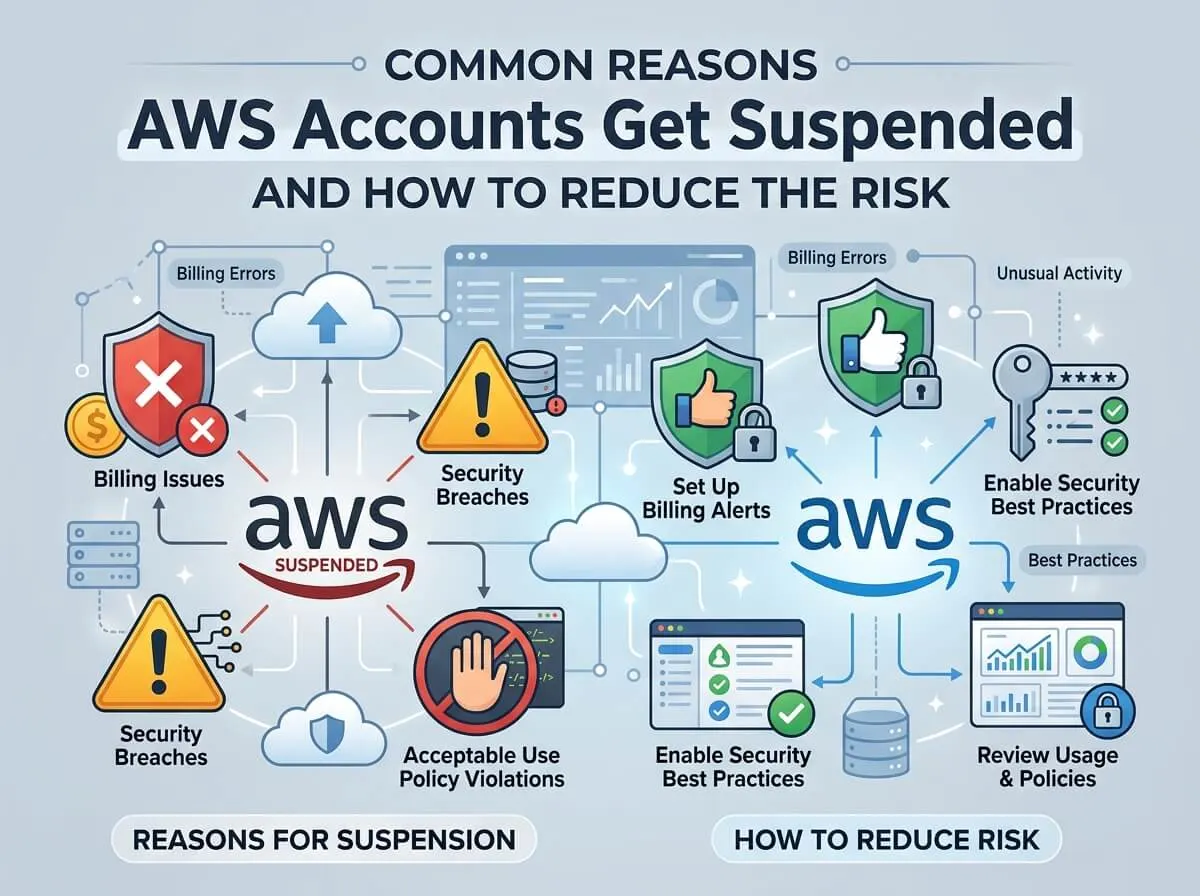
AWS account suspensions are disruptive, but they rarely come without warning signs. Billing failures, policy violations, and security incidents all leave traces before they escalate to full suspension. The teams that avoid downtime are usually those that treat cloud account hygiene as an ongoing operational priority — not a one-time setup task.
Monitoring tools like GuardDuty and CloudTrail, combined with clear internal policies around credential management and billing oversight, eliminate the vast majority of suspension risk. The investment in getting these right is almost always smaller than the cost of losing access at a critical moment.
Frequently Asked Questions
How long does an AWS account suspension typically last?
Suspension duration depends on the cause and how quickly the underlying issue is resolved. Billing-related suspensions can often be lifted within hours of payment. Suspensions tied to security incidents or policy violations may take several days, depending on AWS’s review process and the responsiveness of the account holder.
Will AWS delete my data if my account is suspended?
AWS does not immediately delete data upon suspension. There is typically a retention period during which the account holder can resolve the issue and restore access. However, if an account remains suspended for an extended period without resolution, data deletion is possible. Always resolve suspension notices promptly.
Can I appeal an AWS account suspension?
Yes. AWS provides a support channel specifically for account and billing issues. After resolving the root cause of the suspension, submit a support case through the AWS Management Console explaining the steps taken. Clear, detailed communication generally speeds up the reinstatement process.
What’s the fastest way to prevent credential-related suspensions?
Remove all long-lived IAM access keys that are not actively in use, enable MFA on all accounts with elevated permissions, and use IAM roles for application-level access rather than static credentials. Scanning code repositories for accidentally committed credentials — using tools like AWS Secrets Manager or third-party scanners — adds another layer of protection.
Does AWS notify you before suspending an account?
In many cases, yes. AWS sends warnings via email before suspending an account, particularly for billing issues and AUP violations. However, in cases involving active security threats, suspension may happen rapidly to limit exposure. Keeping contact information current and monitoring AWS notification emails closely is essential.
You can also visit : What Happens When AWS Promotional Credits Expire?