
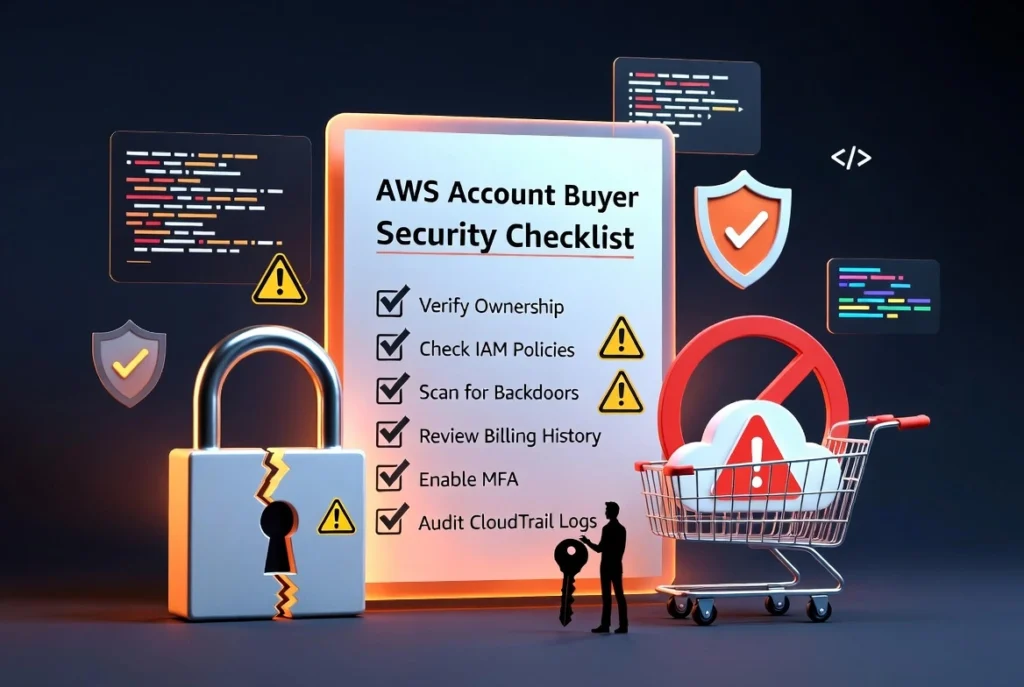
Buying an existing Amazon Web Services account may appear to be a convenient way to access an established cloud environment, existing infrastructure, higher service quotas, billing history, or resources that are already configured. However, an AWS account is not simply a username and password. It can contain sensitive data, payment obligations, active cloud resources, identity permissions, contractual commitments, security vulnerabilities, and a complete history of previous activity.
So, is it safe to buy an AWS account?
The honest answer is that purchasing login credentials from an unknown seller is extremely risky. A legitimate transfer between businesses may be possible when it follows AWS requirements and includes complete legal, financial, administrative, and technical due diligence. However, buying an account informally through a marketplace, social media seller, or anonymous vendor can expose the buyer to account recovery fraud, unauthorized access, unexpected bills, security incidents, and account suspension.
AWS states that account login credentials and private keys are for internal use and must not be sold, transferred, or sublicensed to another person or entity. At the same time, AWS publishes specific Account Assignment Requirements for legitimate transfers of an AWS account from one legal entity to another. These requirements include changing the root credentials, replacing account information, clearing outstanding balances, and accepting applicable AWS agreements.
This guide explains the risks and provides a practical security checklist for anyone considering the acquisition of an existing AWS account.
Buying Credentials Is Not the Same as Transferring an AWS Account
The first step is understanding the difference between an informal account sale and an official account assignment.
An informal sale usually involves a seller providing:
- A root email address
- A password
- An MFA code or device
- Access keys
- Billing information
- An account created using someone else’s identity
This arrangement is dangerous because the seller may retain access to the original email, phone number, authentication device, API keys, support communications, or account recovery information. Changing the password alone does not necessarily give the buyer complete control.
A legitimate account assignment is different. AWS has published requirements under which it consents to certain account assignments from one entity to another. Immediately after the transfer, the receiving entity must update the account with its own payment, billing, tax, and contact information. The account must not have an outstanding balance, and both parties may remain responsible for applicable fees and taxes incurred around the time of transfer. Certain support plans, discounts, AWS Artifact agreements, healthcare-data arrangements, resale relationships, and GovCloud accounts require additional handling.
Therefore, buyers should avoid sellers who describe the transaction as simply “sending the login.” A real transfer should involve ownership documentation, administrative changes, financial verification, technical review, and compliance with current AWS terms.
Why Buying an AWS Account Can Be Risky
1. The Seller May Recover the Account
The most common risk is account recovery fraud. Even after you change the password, the seller may still control the original email inbox, registered phone number, backup MFA device, support case history, or corporate domain connected to the account.
AWS account recovery may depend on access to the root user email address and registered phone number. AWS specifically recommends keeping both recovery channels current and accessible.
A seller who retains control over either channel may be able to challenge your ownership later. This risk is especially high when the account was created using a temporary email address, rented phone number, fake identity, former employee’s email, or domain that the seller still owns.
2. Hidden Users and Credentials May Remain Active
An AWS environment can contain many access methods beyond the root password. These may include:
- IAM users
- IAM roles
- Access keys
- Service-specific credentials
- SSH keys
- Federation providers
- IAM Identity Center users
- Cross-account roles
- Lambda environment secrets
- CI/CD deployment credentials
- Third-party integrations
- Access to encrypted backups
- Programmatic access from external applications
A seller could create a hidden administrator, retain a cross-account role, or keep an access key that continues working after the root password is changed.
AWS recommends regularly reviewing and removing unused users, roles, permissions, policies, and credentials. It also recommends temporary credentials, role-based access, MFA, and least-privilege permissions instead of relying heavily on long-term access keys.
3. You May Inherit Unpaid Bills
An existing account can contain unpaid invoices, active resources, data-transfer charges, marketplace subscriptions, reserved capacity, support fees, savings commitments, or tax obligations.
AWS requires that a transfer account have no outstanding balance at the time of assignment. It also states that the assignor and assignee can be responsible for fees, charges, and taxes incurred around the transfer, while the assignee is responsible for charges incurred afterward.
Never rely only on a screenshot of the billing dashboard. The seller should provide access to invoices, cost reports, commitments, payment history, marketplace agreements, active subscriptions, and any open billing support cases.
4. Previous Abuse May Affect the Account
A purchased AWS account may have been used for spam, phishing, malware distribution, unauthorized scanning, cryptocurrency mining, fraudulent transactions, or other prohibited activity.
Even when the visible resources have been deleted, historical activity may remain in logs, support cases, abuse reports, external blocklists, IP reputation databases, or internal AWS risk systems.
AWS may suspend access when it reasonably determines that account activity poses a security risk, could affect AWS or third-party systems, could create liability, appears fraudulent, violates the agreement, or involves unpaid charges.
A seller offering a very old account, unusually high limits, promotional credits, unrestricted email capabilities, or “guaranteed no verification” access should be treated with extreme caution.
5. Existing Data May Create Legal Liability
The account may contain customer information, backups, personal data, intellectual property, database snapshots, logs, medical information, authentication secrets, or regulated records.
A buyer should not assume that ownership of the account automatically grants lawful ownership of all data inside it. The seller may not have the right to transfer customer information or third-party content.
AWS specifically requires additional action when a transferred account contains protected health information. Applicable AWS Artifact agreements may also need to be terminated by the previous owner and accepted again by the new owner.
Before accepting an account, identify every dataset, backup, bucket, database, snapshot, image, log archive, and encrypted resource. Obtain written confirmation that the seller has the legal authority to transfer them.
Security Checklist Before You Buy an AWS Account
Use the following checklist before making any payment or accepting control.
Verify the Seller’s Legal Identity
The seller should be a verifiable person or registered company. Request appropriate business documents, authorized representative information, proof of account ownership, and a signed transfer agreement.
The agreement should identify:
- The AWS account ID
- The current legal owner
- The new legal owner
- The transfer date
- Included resources
- Excluded resources
- Outstanding liabilities
- Data ownership
- Security responsibilities
- Post-transfer assistance
- Representations regarding previous abuse
Avoid anonymous sellers who refuse to provide documentation or request payment only through irreversible methods.
Confirm That the Transfer Meets AWS Requirements
Review the latest AWS Account Assignment Requirements before completing the transaction. AWS conditions can depend on the account’s contracting entity, region, support arrangement, discounts, reseller status, healthcare data, GovCloud connection, and accepted agreements.
A seller should not claim that every AWS account can be transferred in exactly the same way. Government accounts, certain separated regions, AWS India relationships, resale arrangements, and specialized environments may require different handling.
When the transaction is commercially significant, ask AWS Support or qualified legal counsel to confirm the appropriate transfer procedure.
Verify Root Email Ownership
The root user email must be moved to an address that you or your company fully controls. A company-managed email address is safer than a free personal email account.
Verify that:
- You can sign in to the email inbox
- You can change the email password
- Recovery email addresses belong to you
- Recovery phone numbers belong to you
- Forwarding rules have been removed
- Delegated inbox access has been removed
- The seller cannot recover the domain
- The domain registration belongs to your organization
AWS recommends using a business-managed group email for root access so critical notifications are not dependent on one person.
Replace the Registered Phone Number
Update the primary contact phone number and any alternate contacts. Confirm that the number can receive verification calls or messages and is not a temporary or virtual number controlled by the seller.
The email address and phone number are important account recovery channels. AWS recommends keeping both current to ensure the account owner can receive important security and account notifications.
Change the Root Password
Create a unique password that has never been used for another account. Store it in a secure business password manager.
Do not reuse a password provided by the seller, even temporarily. The old password may exist in messages, browser storage, exported password files, malware logs, or the seller’s password manager.
The root account has complete access to AWS resources and billing information, so AWS strongly recommends protecting it and avoiding its use for routine administrative work.
Remove the Seller’s MFA Devices
Delete every existing MFA method and register new devices controlled by your organization.
AWS currently supports multiple MFA devices for root users and recommends enabling more than one device for resilience. It also requires root-user MFA registration for account types under its current security requirements.
Do not accept an account where the seller says the existing MFA cannot be removed or must remain active.
Delete Root Access Keys
Check whether root access keys exist. If they do, deactivate and delete them.
AWS strongly recommends that customers not create root access keys because root credentials provide full access to services, resources, and billing information.
Changing the root password does not automatically invalidate programmatic root access keys.
Audit Every IAM User and Role
Review all IAM users, groups, roles, policies, identity providers, permission boundaries, and access keys.
For each identity, ask:
- Who created it?
- Who currently uses it?
- Does it have administrator permissions?
- Is console access enabled?
- Are access keys active?
- When was it last used?
- Can it assume another role?
- Does another AWS account trust it?
- Is the permission level necessary?
Delete unknown identities. Rotate all credentials that must remain. Replace broad administrator access with least-privilege permissions.
Review Cross-Account Access
Inspect role trust policies, resource policies, bucket policies, key policies, queue policies, secrets policies, and organization-level permissions.
The previous owner may have granted another AWS account continuing access to:
- S3 buckets
- KMS keys
- IAM roles
- ECR repositories
- Lambda functions
- SNS topics
- SQS queues
- Secrets Manager secrets
- Database snapshots
- Backup vaults
Cross-account access can remain active without appearing as a normal IAM user in your account.
Review AWS Organizations
Determine whether the account is:
- A standalone account
- A member account
- An AWS Organizations management account
- Connected to a billing-transfer arrangement
- Subject to service control policies
An account that remains inside the seller’s organization may still be affected by organization-level policies, billing relationships, delegated administrators, or centralized security services.
AWS documentation states that ownership of new costs changes when an account successfully leaves an organization and begins using its own payment method.
Do not complete the purchase until the organization structure and billing responsibility are fully understood.
Inspect CloudTrail History
Review CloudTrail event history before changing the environment. Look for:
- Root user activity
- New IAM users
- Access-key creation
- Policy changes
- Disabled logging
- Region changes
- Unusual API calls
- Security-group changes
- Snapshot sharing
- Large data transfers
- Resource deletion
- Attempts to leave or join organizations
CloudTrail provides recent management-event history in the console, but AWS recommends creating a trail for an ongoing record because console event history is not a permanent or complete record of every event type.
Export relevant logs before removing resources so the buyer has evidence if a dispute or security incident appears later.
Check Every AWS Region
Attackers and dishonest sellers sometimes create resources in regions that are not normally visible in the buyer’s default console view.
Review all enabled AWS Regions for:
- EC2 instances
- EBS volumes and snapshots
- Elastic IP addresses
- RDS databases
- Lambda functions
- ECS and EKS workloads
- Lightsail resources
- NAT gateways
- Load balancers
- SageMaker resources
- OpenSearch clusters
- Redshift clusters
- Backup vaults
- S3 buckets
A forgotten NAT gateway, database, GPU instance, or marketplace product can create significant charges after the transfer.
Review Billing and Commitments
Inspect the complete billing environment, including:
- Current month charges
- Previous invoices
- Unpaid balances
- Reserved Instances
- Savings Plans
- Marketplace subscriptions
- Support plans
- Credits and promotional balances
- Tax settings
- Linked payment methods
- Cost-allocation tags
- Consolidated billing
- Billing-transfer relationships
Do not purchase an account merely because it contains credits or discounts. AWS assignment requirements state that a transfer must not be used to arbitrage, avoid, or profit from AWS pricing commitments. Some discounts may also need to be removed before transfer.
Set Cost Alerts Immediately
After taking control, configure budgets, billing alerts, anomaly detection, and notifications to email addresses you monitor.
Set low initial thresholds while auditing the account. For example, use several alerts that trigger as spending increases rather than relying on one high monthly limit.
Remember that a budget alert does not automatically prevent resources from generating charges unless you implement appropriate automated controls.
Scan for Sensitive Data and Secrets
Search for credentials and sensitive information stored in:
- S3 objects
- EC2 user data
- AMIs
- EBS snapshots
- Lambda environment variables
- CodeCommit repositories
- Systems Manager Parameter Store
- Secrets Manager
- CloudFormation templates
- Container images
- Build logs
- CloudWatch logs
- Database backups
Rotate any password, token, certificate, API key, webhook, SSH key, or encryption material that could have been known by the seller.
Review KMS Keys and Encryption Access
Encrypted data may become unusable when the key policy, external key store, imported key material, or seller-controlled identity changes.
Confirm that your organization has full administrative and usage permissions for every required KMS key. Review grants and key policies for unknown principals.
Do not delete old identities until you have confirmed that encrypted resources can be decrypted, copied, restored, and backed up under the new ownership structure.
Check Open Support and Abuse Cases
Review AWS Support cases, security notifications, abuse reports, billing disputes, service-limit requests, verification requests, and unresolved technical issues.
Ask the seller to declare in writing whether the account has ever been:
- Suspended
- Restricted
- Compromised
- Reported for abuse
- Used for mass email
- Used for cryptocurrency mining
- Connected to disputed payments
- Investigated for fraudulent activity
The absence of a current warning does not prove that the account has a clean history.
Warning Signs That You Should Not Buy the Account
Walk away from the transaction when:
- The seller refuses to reveal the AWS account ID
- Only IAM access is provided instead of root control
- The original email cannot be transferred
- The phone number cannot be changed
- Existing MFA devices must remain connected
- The seller refuses to show billing history
- The account has an unpaid balance
- The seller promises unlimited or permanently increased quotas
- Promotional credits are the main selling point
- The seller cannot explain previous workloads
- CloudTrail has been disabled or deleted
- The account contains unknown administrator users
- The account remains inside the seller’s AWS Organization
- The seller requests cryptocurrency or irreversible payment only
- The account was created with false or unverifiable information
- The seller guarantees that AWS will never request verification
- The transaction is described only as a sale of login credentials
A legitimate seller should welcome reasonable security checks. Urgency, secrecy, incomplete information, and pressure to pay before inspection are major warning signs.
A Safer Alternative: Create a New AWS Account
For most individuals and businesses, creating a new AWS account directly is safer than purchasing an existing one.
A new account provides:
- Clear ownership
- Your own billing identity
- Your own recovery channels
- A clean security history
- No unknown IAM identities
- No inherited data
- No hidden subscriptions
- No previous abuse
- Easier compliance documentation
AWS recommends enabling root MFA, safeguarding root credentials, creating administrative access through IAM Identity Center, using temporary credentials, and applying least privilege when configuring a new account.
When you need an existing application or infrastructure, it is often safer to migrate the workloads into a new account rather than acquire the original account itself. Resources can be recreated using infrastructure-as-code, databases can be exported and restored, container images can be copied, and approved snapshots can be shared under controlled procedures.
What to Do Immediately After a Legitimate Transfer
Once a properly documented transfer is completed:
- Replace the root email, password, phone number, and MFA devices.
- Delete root access keys.
- Remove all seller-controlled contacts and payment methods.
- Audit IAM users, roles, access keys, and federation.
- Remove unauthorized cross-account access.
- Rotate every application secret and certificate.
- Review all Regions and active services.
- Inspect CloudTrail and preserve relevant logs.
- Confirm the account’s AWS Organizations status.
- Review invoices, commitments, subscriptions, and support plans.
- Configure budgets and security alerts.
- Scan resources for sensitive or unauthorized content.
- Update legal, billing, tax, and company information.
- Contact AWS Support when any transfer or ownership issue remains unclear.
Keep the account in a restricted state until the audit is complete. Avoid immediately deploying important customer applications or sensitive data into an environment that has not been fully reviewed.
Frequently Asked Questions
Is buying an AWS account illegal?
Buying an account is not automatically a criminal act, but the transaction may violate contracts, payment rules, data-protection obligations, or applicable laws depending on how the account was created, used, sold, and transferred. AWS permits certain formal account assignments subject to detailed requirements, but its customer agreement restricts the sale or transfer of login credentials and private keys.
Can the original seller recover the AWS account?
Yes, recovery may be possible when the seller retains control of the original email address, phone number, domain, MFA device, support history, or other verification information. All recovery channels must be moved to the buyer’s control.
Does changing the root password make the account safe?
No. Active access keys, IAM users, roles, federation connections, cross-account permissions, backup credentials, and third-party integrations may still provide access.
Can I buy an AWS account with credits?
This is particularly risky. Credits may be nontransferable, expired, connected to a specific organization, obtained improperly, or subject to conditions. AWS also states that account assignments must not be used to arbitrage, avoid, or profit from pricing commitments.
Is a verified AWS account safer?
The word “verified” is often used as a marketing term and does not guarantee clean ownership, transferability, security, or compliance. Buyers should verify the actual account information, billing history, identity controls, resource history, and AWS transfer requirements.
Should I buy an old AWS account to get higher limits?
An old account does not guarantee permanent access to specific quotas or services. Limits may depend on region, service, usage history, payment status, risk review, and AWS approval. Creating a new account and requesting the required quota through official channels is generally safer.
Final Verdict: Is It Safe to Buy an AWS Account?
Buying an AWS account through an anonymous seller or receiving only a collection of login credentials is not a safe approach. The buyer may inherit hidden access, unpaid charges, compromised resources, legal obligations, abusive activity, or an account that the seller can recover later.
A formal business transfer can be considered only when it complies with AWS Account Assignment Requirements and includes legal documentation, payment verification, complete root ownership transfer, identity auditing, data review, billing inspection, credential rotation, logging analysis, and removal of all previous access.
For most buyers, the safest choice is to create a new AWS account under their own identity and migrate only the resources they genuinely need. When an existing account must be acquired as part of a company, application, or infrastructure purchase, treat it as a serious cloud-security and legal transaction—not as a simple purchase of a username and password.
AWS policies and service terms can change, so review the latest official requirements or contact AWS Support before completing any account transfer.
you can also visit : AWS Credit Accounts Compared: 1K to 100K Credits