
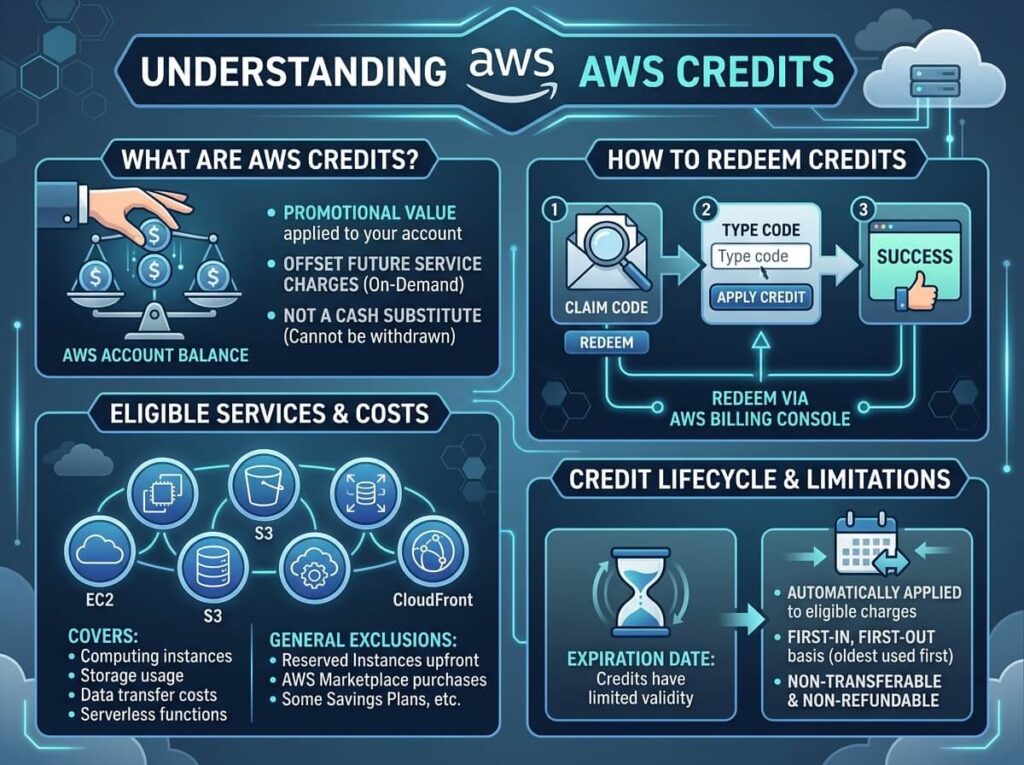
AWS Free Tier gives all new AWS users access to a limited set of services at no cost for 12 months (plus some always-free options). AWS Activate Credits are cash credits awarded exclusively to eligible startups through the AWS Activate program, which can be used to pay for virtually any AWS service. Both reduce cloud costs, but they work very differently.
Getting started on AWS without a clear understanding of your cost management options is a fast way to end up with a surprise bill. For startups and early-stage builders, two options tend to cause the most confusion: the AWS Free Tier and AWS Activate Credits. They both sound like free cloud computing—but they serve different purposes, apply to different audiences, and have very different limits.
Here’s a clear breakdown of how each works, who qualifies, and which one is right for your situation.
What Is the AWS Free Tier?
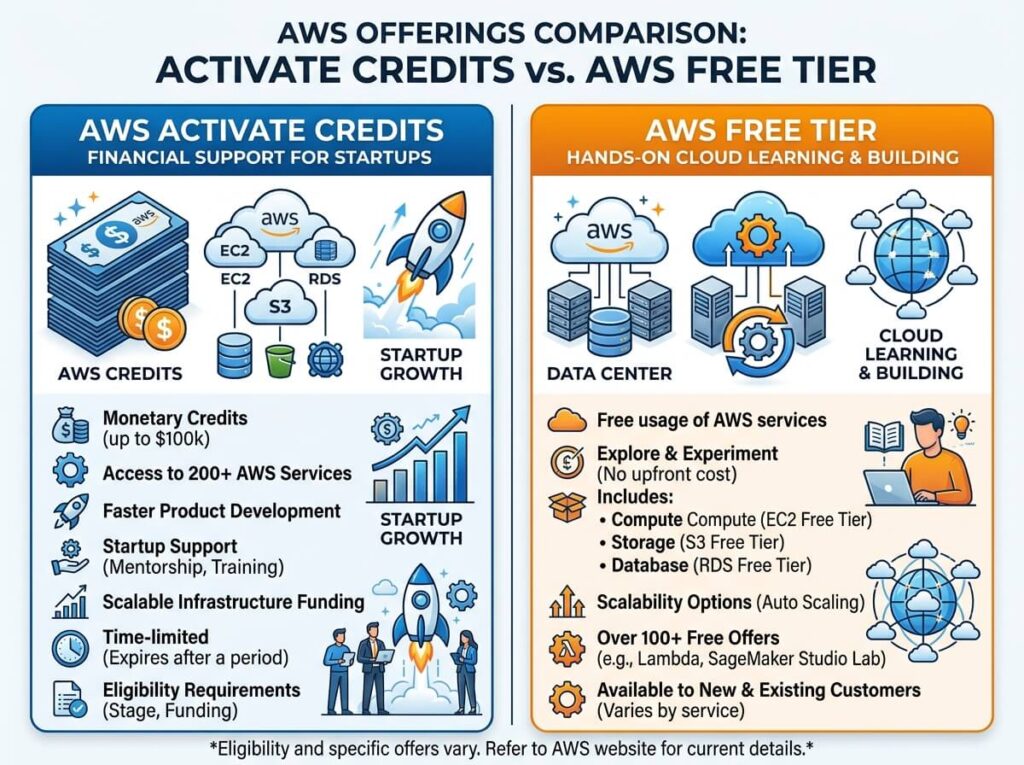
The AWS Free Tier is a built-in offering available to any new AWS account. It gives users access to a curated set of AWS services at no charge, making it ideal for developers, students, and individuals who want to experiment with cloud infrastructure without committing to a paid plan.
The Free Tier is split into three categories:
- 12-month free: Available for the first 12 months after account creation. Examples include 750 hours per month of Amazon EC2 (t2.micro or t3.micro), 5 GB of Amazon S3 storage, and 750 hours of Amazon RDS.
- Always free: Available indefinitely, regardless of account age. This includes AWS Lambda (1 million free requests per month) and Amazon DynamoDB (25 GB of storage).
- Short-term trials: Some services offer free trials for a fixed period—for example, Amazon SageMaker offers a 2-month free trial for new users.
Who Is the AWS Free Tier For?
The Free Tier is available to anyone who creates a new AWS account. There’s no application process, no startup status required, and no minimum team size. It’s an accessible entry point for solo developers, students, and small teams exploring AWS for the first time.
The key limitation is scope. The Free Tier caps usage at relatively modest levels and only covers specific services. Once you exceed those limits—or need services outside the Free Tier—standard AWS pricing applies. This is where many new users get caught off guard.
What Are AWS Activate Credits?
AWS Activate is a program specifically designed to help startups build on AWS. Accepted companies receive AWS promotional credits—real dollar amounts credited to their AWS account—that can be used to pay for the vast majority of AWS services.
Credit amounts vary significantly depending on the tier:
- AWS Activate Founders (self-service): Up to $1,000 in credits, available to startups that are not yet funded and are new to AWS Activate.
- AWS Activate Portfolio: Up to $100,000 or more in credits, available through AWS-affiliated organizations like venture capital firms, accelerators, incubators, and startup ecosystems.
Credits are typically valid for a set period (often one to two years from activation) and can cover services like EC2, RDS, S3, SageMaker, and many others—giving startups far more flexibility than the Free Tier ever could.
Who Qualifies for AWS Activate Credits?
AWS Activate is not open to everyone. To qualify, your business generally needs to meet the following criteria:
- You are an early-stage startup (pre-seed to Series B, depending on the tier)
- You have not previously received AWS Activate benefits
- You apply through an approved channel (directly for Founders tier, or via an affiliated organization for Portfolio tier)
If your startup is part of a recognized accelerator or VC portfolio, your chances of accessing larger credit amounts increase substantially. Organizations like Y Combinator, Techstars, and similar programs are often AWS Activate partners, enabling their portfolio companies to apply for premium credit packages.
AWS Free Tier vs AWS Activate Credits: A Side-by-Side Comparison
|
Feature |
AWS Free Tier |
AWS Activate Credits |
|---|---|---|
|
Who can access it? |
Any new AWS account |
Eligible startups only |
|
Application required? |
No |
Yes |
|
Credit amount |
Service-specific limits |
Up to $100,000+ |
|
Service coverage |
Limited to Free Tier services |
Most AWS services |
|
Duration |
12 months (or always-free) |
Typically 1–2 years |
|
Cost |
Free |
Free (if approved) |
Can You Use Both at the Same Time?
Yes—and you should. AWS Activate Credits and the AWS Free Tier are not mutually exclusive. If your startup qualifies for AWS Activate, you can stack those credits on top of Free Tier benefits. AWS typically applies Free Tier discounts first, with Activate Credits covering remaining costs.
For early-stage startups, this combination can effectively make AWS infrastructure free (or very close to it) during the critical initial phase of building a product.
Which One Should You Prioritize?
The right choice depends on your situation.
Choose the AWS Free Tier if:
- You’re an individual developer, student, or hobbyist
- You’re exploring AWS services before committing to a production environment
- Your startup hasn’t yet incorporated or is not eligible for Activate
Prioritize AWS Activate Credits if:
- You’re building a startup on AWS and plan to scale
- You’re part of an accelerator, incubator, or VC-backed ecosystem
- Your infrastructure costs are growing beyond what the Free Tier covers
For startups with real workloads, AWS Activate Credits offer dramatically more value. A $10,000–$100,000 credit package gives your team the runway to build, test, and iterate without infrastructure costs eating into your budget.
How to Apply for AWS Activate Credits
If you’re applying through the Founders tier, the process is straightforward:
- Visit the AWS Activate portal
- Select “Founders” if you’re self-applying, or find your affiliated organization under the Portfolio tier
- Complete the application with your startup details
- If approved, credits are applied directly to your AWS account
Portfolio tier applicants should check with their accelerator or VC firm first, as many have unique activation codes that unlock higher credit tiers.
Making the Most of Your AWS Budget
Understanding the difference between AWS Activate Credits and the AWS Free Tier is step one. Equally important is monitoring your usage to avoid unexpected charges. AWS Cost Explorer, AWS Budgets, and billing alerts are all free tools that help you stay on top of spending—whether you’re using Free Tier limits or drawing down Activate Credits.
For startups in particular, burning through credits without visibility into usage is a common pitfall. Set up billing alerts from day one, and review your cost dashboard at least monthly.
Frequently Asked Questions
Do AWS Activate Credits expire?
Yes. AWS Activate Credits typically expire 1–2 years after activation, depending on the tier and the source of the credits. Unused credits do not roll over, so it’s important to plan your infrastructure usage accordingly.
Can an individual developer apply for AWS Activate?
AWS Activate is designed for startups, not individual developers. The Founders tier is the most accessible option, but even that requires you to be building a startup—not a personal project. Individual developers are better served by the AWS Free Tier.
What happens when AWS Free Tier limits are exceeded?
Once you exceed Free Tier usage limits, standard AWS pricing applies automatically. AWS does not notify you before this happens by default. Setting up billing alerts in the AWS console is strongly recommended to avoid unexpected charges.
Are all AWS services covered by Activate Credits?
Most AWS services are eligible for Activate Credits, but some exclusions apply. AWS Marketplace purchases and certain third-party services may not be covered. Review the AWS Activate terms and conditions for a full list of exclusions before planning your architecture.
How long does it take to receive AWS Activate Credits after approval?
For the Founders tier, credits are typically applied to your account within a few business days of approval. Portfolio tier timelines may vary depending on the affiliated organization processing your application.
Read more info : AWS accounts with credits