Blog

AWS Account Verification

AWS Account Verification: Email, Phone, Billing & Identity

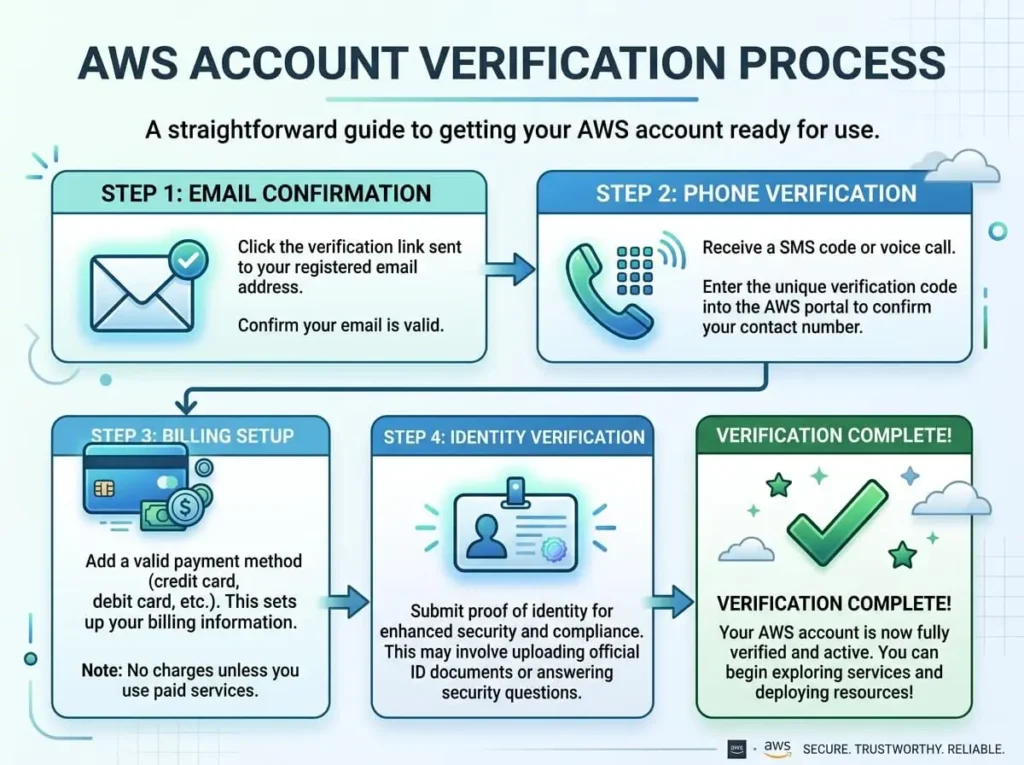
AWS account verification is a multi-step process that confirms your identity through email, phone, billing information, and identity checks. Each step serves a distinct security purpose and is required before you can access AWS services. Skipping or failing any step will limit your account’s capabilities. Setting up an AWS account sounds straightforward—until verification starts. Suddenly, you’re confirming your email, entering a phone PIN, providing credit card details, and possibly uploading identity documents. For first-time users, this can feel like a lot. But each step exists for a reason, and understanding why makes the process far less frustrating. This guide breaks down every stage of AWS account verification—what happens, why it’s required, and what to do when something goes wrong. Why Does AWS Require Account Verification? AWS hosts infrastructure for millions of businesses worldwide, from solo developers to Fortune 500 companies. That scale makes it a target. Without rigorous verification, bad actors could spin up thousands of compute instances for cryptocurrency mining, spam campaigns, or worse—then disappear without paying. Verification protects both AWS and legitimate users. It ensures that every account is tied to a real person with a valid payment method, reducing fraud and abuse on the platform. Step 1: Email Verification The first thing AWS asks you to do after creating an account is verify your email address. AWS sends a confirmation link to the email you registered with. Click it, and you’re done. Simple—but important. Your email address becomes the primary login identifier and the main channel for security alerts, billing notifications, and service updates. Common issues: The verification email lands in spam. Check your junk folder before requesting a resend. The link expires. AWS verification links are time-limited, so act promptly. Typo in the email address. If you mistyped your email during signup, you’ll need to contact AWS Support to correct it. Once email verification is complete, AWS moves you to the next step automatically. Step 2: Phone Verification AWS verifies your phone number to confirm you’re a real person with access to a real device. During this step, AWS calls or texts your phone with a PIN. You enter that PIN on-screen to proceed. This step typically takes less than two minutes. AWS supports both mobile and landline numbers, though SMS delivery to landlines isn’t possible—opt for a voice call instead if you’re using one. What to watch for: International numbers are supported, but make sure you select the correct country code. If the call or SMS doesn’t arrive within a few minutes, use the resend option. Repeated failures may indicate a carrier-side issue. VoIP numbers (like Google Voice) are sometimes rejected. Use a standard mobile or landline number if you run into problems. Step 3: Billing Information and Credit Card Verification AWS requires a valid credit or debit card before granting full account access. This isn’t a payment upfront—it’s a temporary authorization charge (typically $1 USD) that confirms the card is real and active. AWS reverses this charge within a few business days. Accepted payment methods vary by region, but major credit cards (Visa, Mastercard, American Express) and debit cards are broadly supported. Prepaid cards are generally not accepted. Why this matters: Even if you plan to stay within the AWS Free Tier, billing information is mandatory. AWS needs a payment method on file in case your usage exceeds free tier limits. Tips to avoid issues: Make sure your card’s billing address matches what you enter in AWS exactly. Notify your bank if you’re expecting the authorization charge—some banks flag it as suspicious and block it. If your card is declined, double-check that it supports international transactions, since AWS charges originate from the United States. Step 4: Identity Verification (When It’s Required) Not every AWS account goes through identity verification, but some do. AWS may request additional identity checks based on your country, account activity, or if automated systems flag your registration as potentially fraudulent. When identity verification is triggered, AWS typically asks for: A government-issued photo ID (passport or driver’s license) Proof of address (utility bill, bank statement) In some cases, a selfie or video verification through a third-party identity verification service AWS uses partners like ID.me or similar services to handle this process securely. Documents are reviewed and a decision is usually returned within a few hours, though it can take up to 24 hours in some cases. What to do if your identity verification fails: Ensure documents are clear, unobstructed, and fully visible. Use the exact name and address that appears on your documents when filling out your AWS profile. If verification continues to fail, contact AWS Support directly—they can manually review your account. How Long Does AWS Account Verification Take? For most users, the full verification process—email, phone, and billing—takes fewer than 10 minutes. Identity verification, when required, adds anywhere from a few hours to one business day. AWS typically activates accounts within 24 hours of completing all verification steps, though many accounts become active almost immediately after billing verification is confirmed. What Happens If Your AWS Account Gets Suspended During Verification? AWS may place an account in a suspended state if verification steps aren’t completed within a reasonable timeframe, or if billing information can’t be confirmed. A suspended account can’t launch new resources, though existing ones may continue running temporarily. To resolve a suspension, log into the AWS Management Console—AWS will display a prompt explaining what’s needed. In most cases, updating your payment method or completing a pending verification step resolves the issue quickly. If the console doesn’t surface a clear next step, opening a support ticket with AWS is the fastest path forward. Best Practices for a Smooth AWS Verification Experience A few habits significantly reduce the chance of hitting a snag: Use a business email address if you’re setting up an account for an organization. Personal email addresses tied to free providers occasionally trigger extra scrutiny. Keep your contact information consistent across email, phone, billing, and identity documents. Mismatches raise flags. Monitor your inbox closely during the

AWS Account Verification: Email, Phone, Billing & Identity Read More »

buy-aws-account-vs-create-new-aws-account

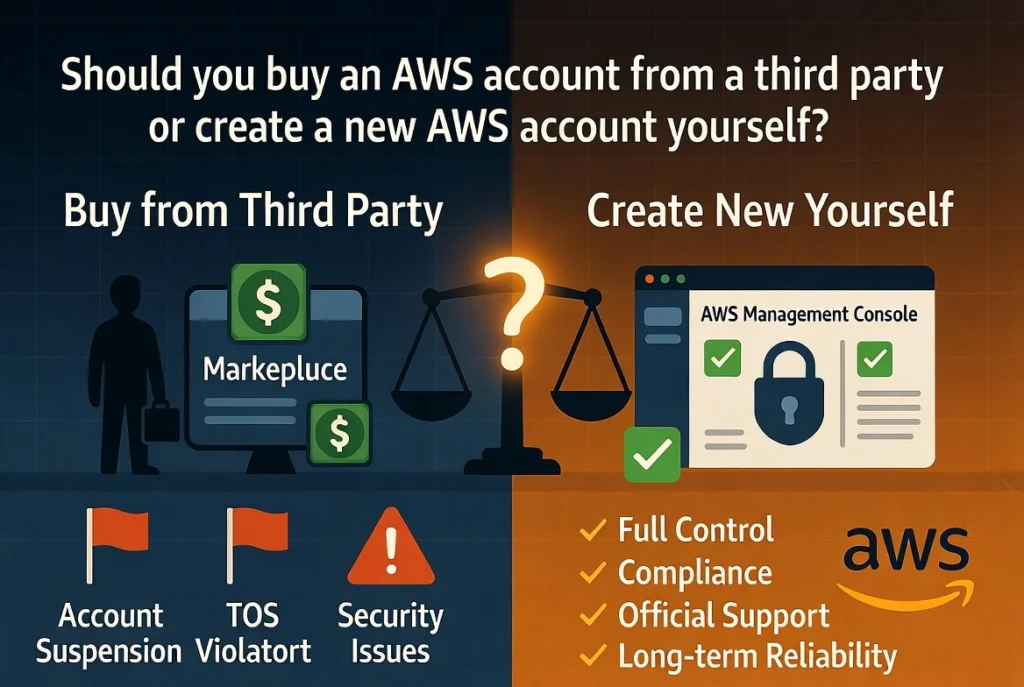
Should you buy an AWS account from a third party or create a new AWS account yourself?

Buying an existing account may appear faster, especially when a seller advertises an “aged,” “verified,” or “high-limit” AWS account. However, the short-term convenience can introduce serious risks related to account recovery, billing, security, compliance, data privacy, and long-term ownership. Creating a new account requires registration and verification, but it normally gives you direct control over the root email, payment method, contact information, security configuration, and account recovery process. This guide compares buying an AWS account with creating a new AWS account so that you can choose the safer and more suitable option for your project or business. What Does Buying an AWS Account Mean? Buying an AWS account usually means obtaining access to an account that was originally registered by another person, company, agency, or reseller. The seller may provide some combination of the following: Root user email and password AWS Management Console access An IAM user or administrator role Access keys Billing information A virtual payment method An email account connected to AWS An account with previous usage history Existing service quotas or resources Not every AWS account sale is the same. A formal corporate account assignment during a merger, acquisition, restructuring, or authorized partner arrangement is very different from buying login credentials from an unknown seller. AWS publishes specific requirements for formal account assignments. These requirements address matters such as outstanding charges, support plans, discounts, AWS Artifact agreements, regulated data, service resale, and pricing commitments. A resale-related transfer may also require the receiving party to be authorized by AWS. e, receiving a username and password should not automatically be treated as receiving clear, permanent, and compliant ownership of an AWS account. What Does Creating a New AWS Account Mean? Creating a new AWS account means registering directly with AWS using information that you or your business controls. During registration, you generally provide: An email address A secure password Contact information A valid payment method Phone or identity verification information A selected AWS account plan AWS currently requires a valid payment method for both its Free and Paid account plans. Eligible new customers may receive up to $200 in AWS credits and access to more than 30 services with ongoing monthly free usage limits. The Free account plan is designed for experimentation and proof-of-concept work for up to six months or until the available credits are used. register the account yourself, you control its identity, recovery channels, security settings, and billing relationship from the beginning. Buy AWS Account vs. Create a New AWS Account: Quick Comparison Comparison Factor Buying an Existing AWS Account Creating a New AWS Account Initial setup speed May appear faster Requires registration and verification Root ownership May remain connected to the seller Controlled by you or your business Recovery security Seller may retain recovery access You control the email and phone Billing history May contain unknown charges or commitments Starts with a clean billing history Free Tier eligibility May already be used or unavailable Eligible new customers may receive current offers Compliance Transfer may require formal conditions Direct registration is straightforward Account history May contain unknown activity Starts clean Data privacy Previous users may have had access Access begins under your control Long-term reliability Depends on seller and transfer quality Generally more reliable Best for most users No Yes Ownership and Account Recovery Ownership is one of the biggest differences between buying an AWS account and creating a new one. The root user is the most powerful identity in an AWS account. It has complete access to the account’s resources, billing information, security settings, and administrative functions. AWS strongly recommends securing root credentials and avoiding root-user access for normal daily work. create an AWS account yourself, the root email address, password, contact number, and payment method belong to you or your company. When you buy an existing account, the original owner may still control one or more recovery channels. For example, the seller may retain access to: The original email inbox The registered phone number A previously configured MFA device The payment instrument Company documents used during verification Support correspondence Other administrative identities AWS explains that access to the root email and registered phone number can be important when recovering root credentials or an MFA device. This means changing the visible password may not be enough if the original seller still controls an underlying recovery method. ult, a purchased account can create a long-term ownership dispute. Even after you deploy applications and store data, the original registrant may potentially attempt to recover access. Security Risks of Buying an AWS Account Security should be a major consideration before purchasing any cloud account. An unknown AWS account may contain: Old IAM users Unrecognized administrator roles Active access keys Cross-account permissions Unsecured storage buckets Existing API credentials Automation created by the previous owner CloudTrail or security configurations you do not understand Third-party integrations Previously compromised credentials A seller could remove visible users while retaining another method of access. Discovering every persistent permission, trust relationship, key, role, application secret, and integration can require a complete cloud security audit. AWS recommends using temporary credentials where possible, limiting the use of long-term IAM credentials, enabling MFA for root access, and avoiding root access keys. It also recommends creating an administrative identity for regular tasks instead of using the root user. created account lets you apply these practices from the beginning. You can design the access structure yourself rather than attempting to identify what a previous owner configured. Compliance and AWS Account Transfers It is important to distinguish between a formal account assignment and an informal account sale. AWS’s published account-assignment requirements show that transferring an account can involve more than changing login credentials. Depending on the account, the parties may need to address: Outstanding fees Enterprise Support Discount agreements AWS Artifact agreements Protected health information Government-cloud eligibility Service resale authorization Pricing commitments AWS Organizations relationships AWS also states that an assignment must not be used to arbitrage, avoid, or profit from pricing commitments. When an account remains associated with service

Should you buy an AWS account from a third party or create a new AWS account yourself? Read More »